> For the complete documentation index, see [llms.txt](https://docs.powerembedded.com/llms.txt). Markdown versions of documentation pages are available by appending `.md` to page URLs; this page is available as [Markdown](https://docs.powerembedded.com/power-embedded-documentacao/portal-de-administracao/configuracoes/portal-de-visualizacao/personalizar-cores.md).
# Personalizar cores
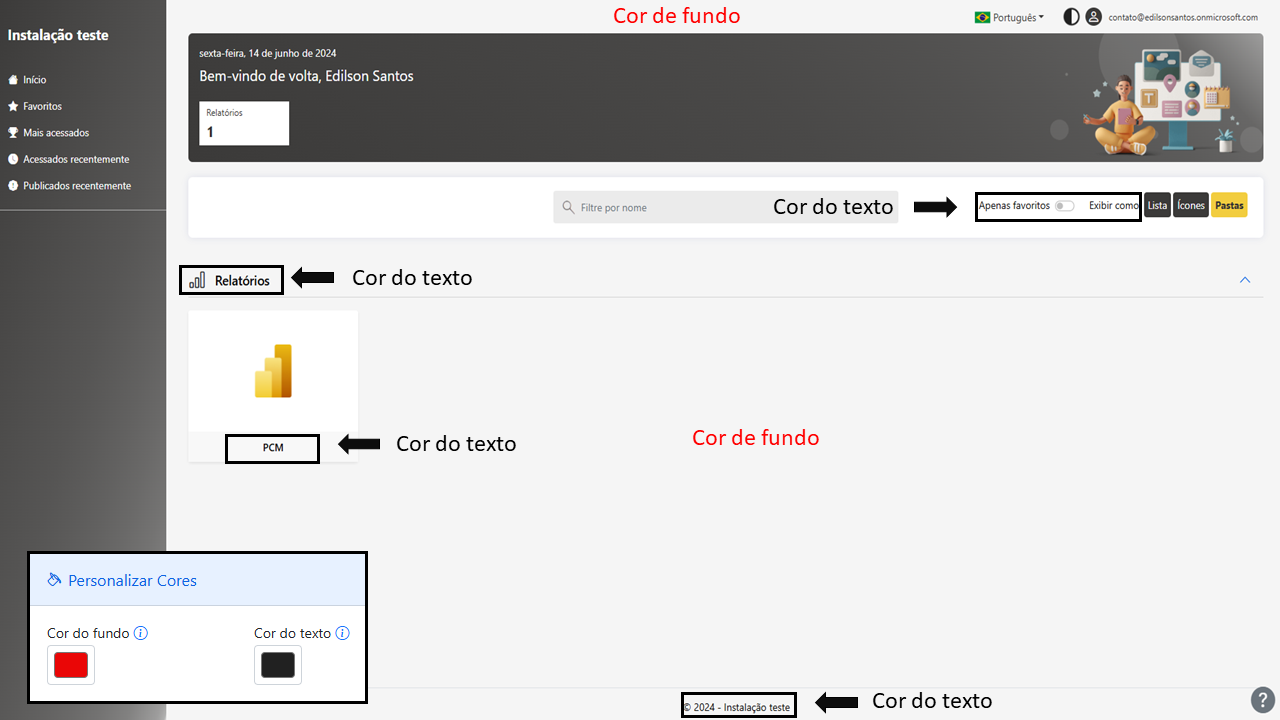
### Cor de fundo e texto
Segue abaixo uma demonstração das áreas que vão sofrer alterações.
### Navbar
Além de fazer a alteração no portal inicial, no navbar de relatório ocorre a alteração.
### Menu – Cor de fundo e texto
### Destaque
Cor mostrada ao passar o mouse sobre algum elemento do portal de visualização.