# Report catalog

The report catalog functionality allows you to share the existence of certain reports with all your users, even if they don't have access to the report.

This functionality acts as a data discovery tool, allowing users to identify reports that could be useful in their daily lives.

If the person thinks the report is relevant and has important data for their activities, they can request access to the report.

This action of requesting access sends a notification for administrators to analyze the request and release/deny access to the requested report.
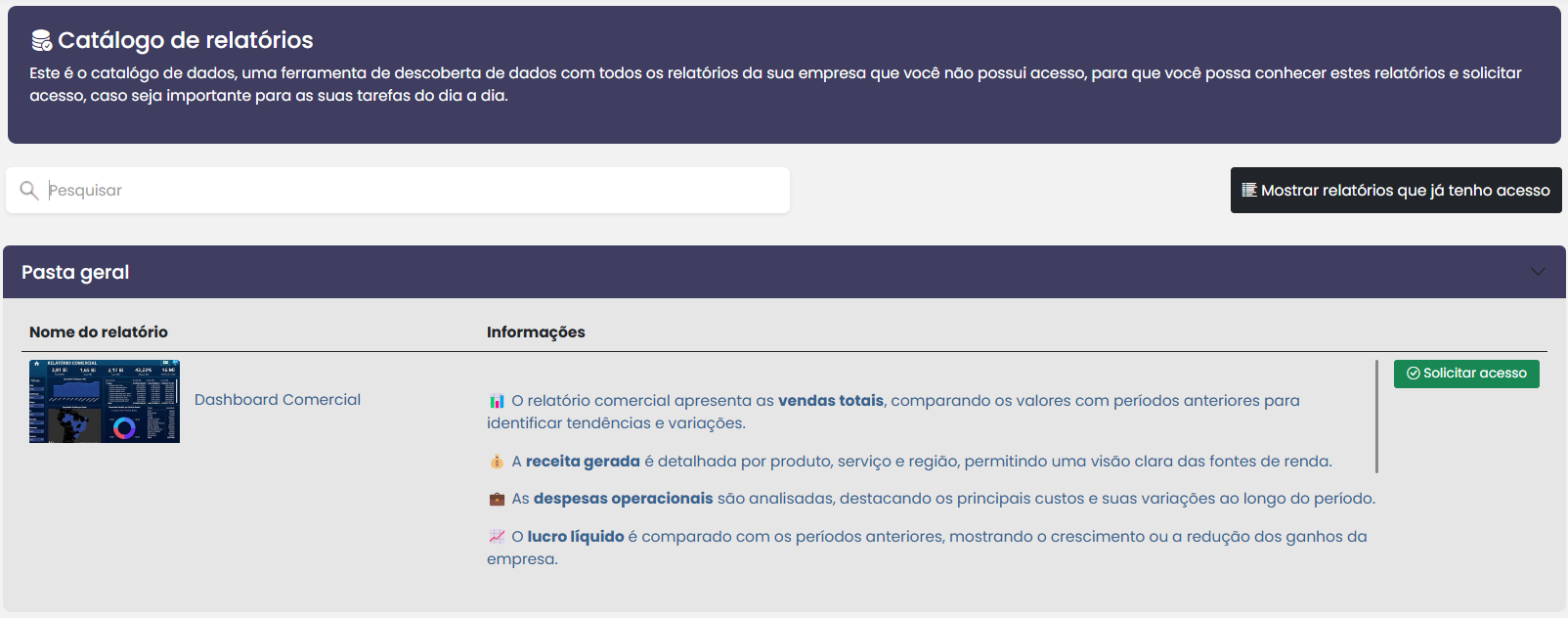

<figure><img src="/files/XEBLPwYuCkMzH6vZw5r5" alt=""><figcaption></figcaption></figure>

<table data-view="cards"><thead><tr><th></th><th data-hidden data-card-cover data-type="files"></th><th data-hidden data-card-target data-type="content-ref"></th></tr></thead><tbody><tr><td>Report Catalog</td><td><a href="/files/PaTVPm8NvjYGChxQml7u">/files/PaTVPm8NvjYGChxQml7u</a></td><td><a href="/pages/iuK7ZEnE9zQwktrjDQvB">/pages/iuK7ZEnE9zQwktrjDQvB</a></td></tr></tbody></table>


---

# Agent Instructions: Querying This Documentation

If you need additional information that is not directly available in this page, you can query the documentation dynamically by asking a question.

Perform an HTTP GET request on the current page URL with the `ask` query parameter:

```
GET https://docs.powerembedded.com/main-features/report-catalog.md?ask=<question>
```

The question should be specific, self-contained, and written in natural language.
The response will contain a direct answer to the question and relevant excerpts and sources from the documentation.

Use this mechanism when the answer is not explicitly present in the current page, you need clarification or additional context, or you want to retrieve related documentation sections.
