> For the complete documentation index, see [llms.txt](https://docs.powerembedded.com/llms.txt). Markdown versions of documentation pages are available by appending `.md` to page URLs; this page is available as [Markdown](https://docs.powerembedded.com/administration-portal/dns-configuration/cloudflare.md).
# Cloudflare
Learn how to configure a custom DNS on Cloudflare to use a subdomain in Power Embedded.
If you manage your DNS through Cloudflare and need to add TXT and CNAME records, follow the step-by-step guide below:
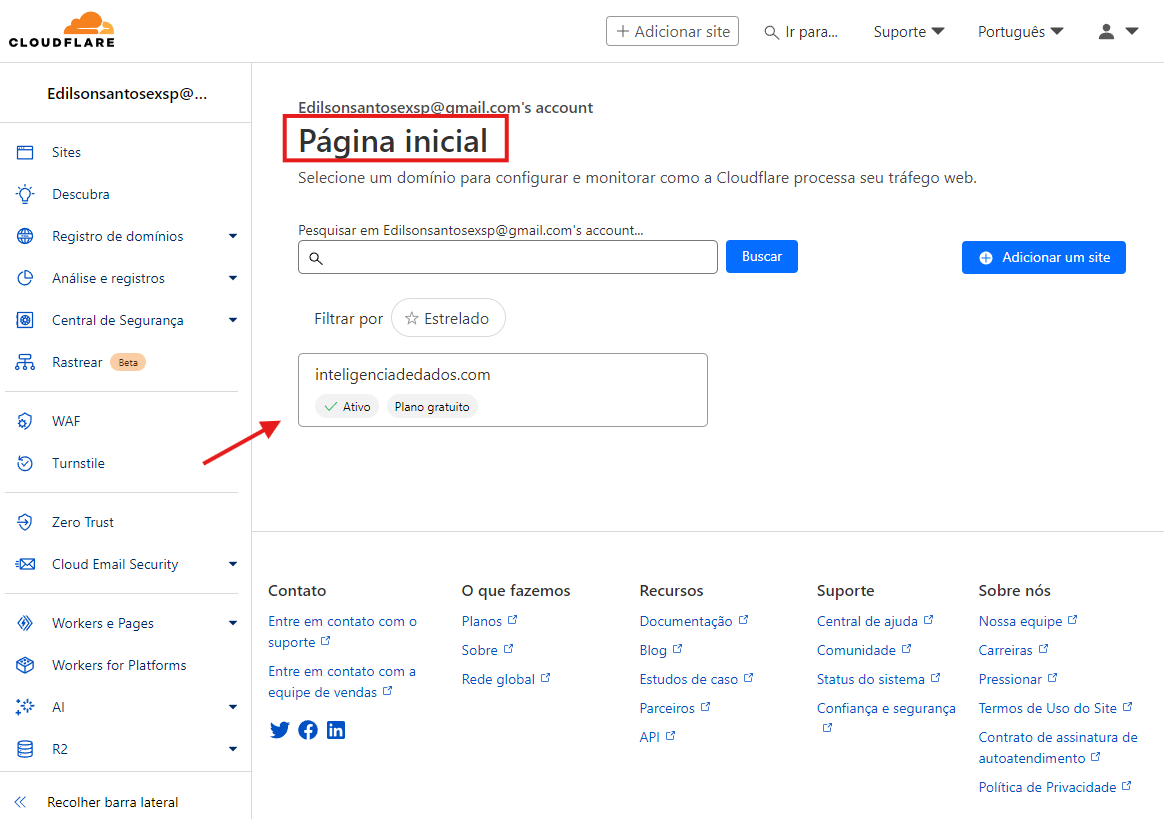
**1. Access Cloudflare:** [Click here](https://dash.cloudflare.com/) to access the Cloudflare website and on the Cloudflare homepage, click on your domain.
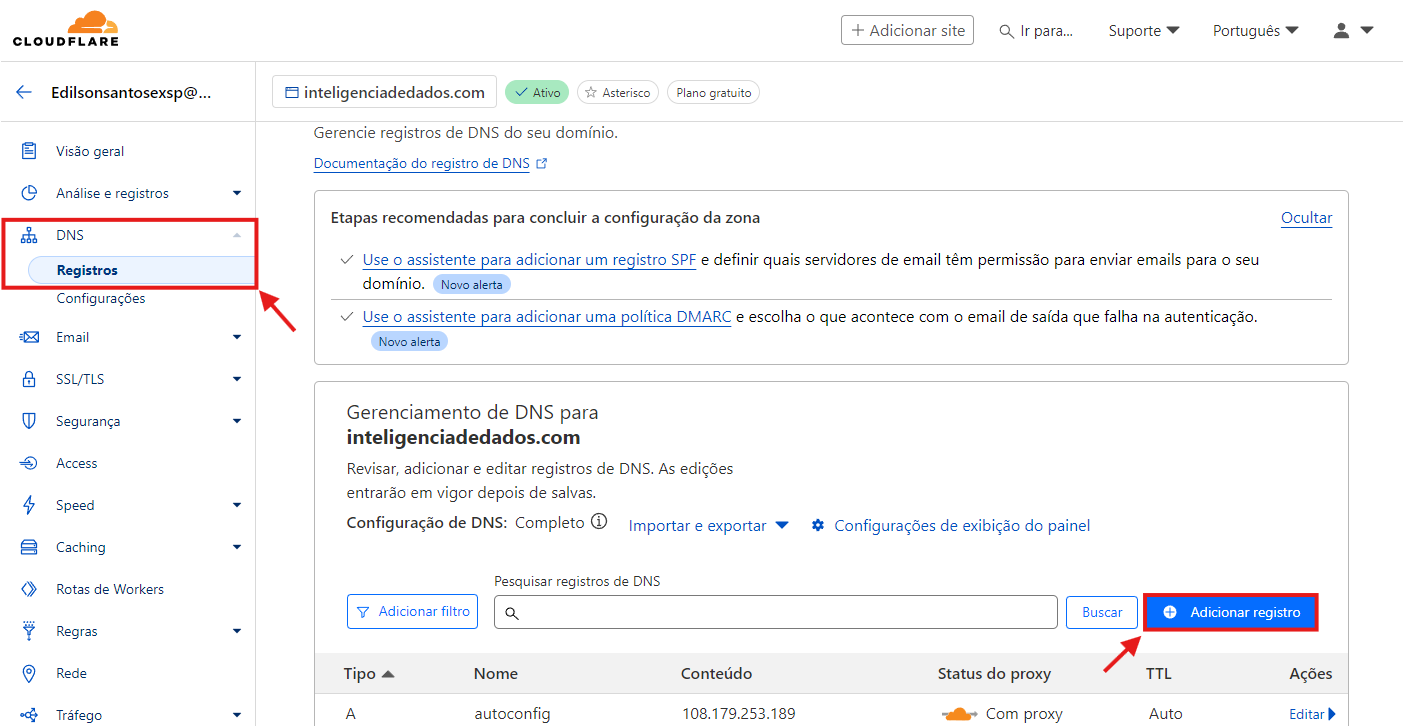
**2.** In the side menu, click on the **DNS** option and then on **Records**.
3\. On the screen that opened, click the Add record button.
**4.** On the add DNS records screen, select the CNAME type, enter the desired subdomain name, insert the value powerportal-client.azurewebsites.net in the Target field, disable the Proxy status option, and save the changes.

The **Name** field defines the subdomain address. If you type **"bi"**, the access URL will be bi.yourdomain
**5.** Click **Add record** again and select the **TXT** type.
Enter the value asuid.bi in the **Name** field, the provided TXT value (D1B15490F13A639D57FF7985A837F7E5242DD6F062BEEC8698E3CC36A6CBD693) in the **Content** field, and save the changes.

If your subdomain is not "bi", you should change the Name field value to the pattern asuid.your\_subdomain -- for example, if you want it to be called powerbi.yourdomain.com, the value of this field should be asuid.powerbi
### Security Concerns When Disabling the Proxy for the CNAME DNS Record
To configure a custom domain for a web application hosted on Azure App Service using HTTPS, and to allow Azure to validate domain ownership and complete the configuration correctly, it is necessary to temporarily disable the Cloudflare proxy for the subdomain in question (enabling "DNS Only" mode).
During custom domain association, Azure performs direct DNS checks to validate ownership and correctly bind the domain to the App Service. If the Cloudflare proxy is enabled (orange cloud), it interferes with the resolution expected by Azure, preventing the process from completing. In other words, Azure needs to verify domain ownership directly, without the Cloudflare proxy intermediating, which masks the actual traffic destination.
Temporarily disabling the proxy does not compromise application security, as the domain will still be managed by Cloudflare, with protection against DNS attacks. Traffic will remain encrypted via HTTPS, with certificates managed by Azure. After the domain is activated, the proxy can be re-enabled normally if desired, although this may cause failures in the automatic renewal of the security certificate for your subdomain.
This procedure is widely documented and used by companies that integrate custom domains with Azure, AWS, or GCP. In fact, Microsoft itself recommends this temporary adjustment in its official documentation on domain binding in App Service.